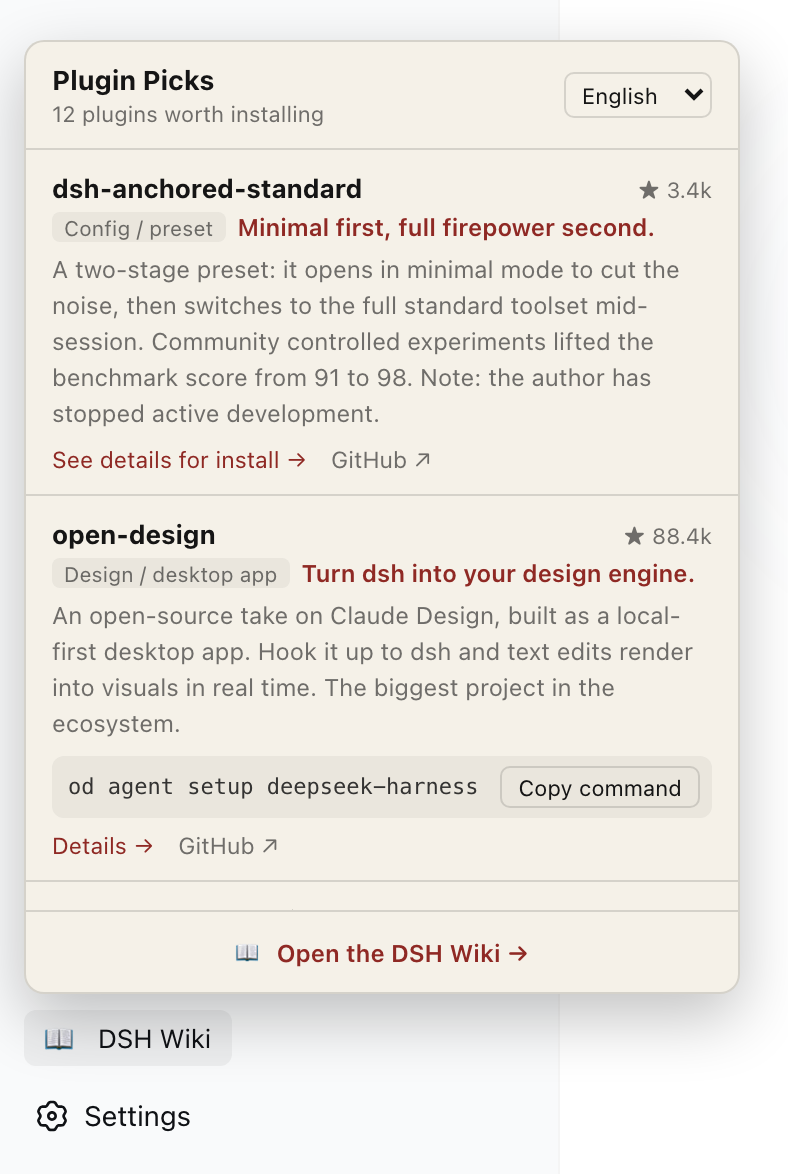
Run this one line in your terminal. It installs the plugin into the web profile.
dsh plugin --profile web add dshwiki-plugin
Copy
03
Restart the UI
Run dsh web again. Plugins are loaded at startup.
dsh web
Copy
04
Open the panel
A DSH Wiki entry appears at the bottom of the sidebar. Click it for the plugin picks.
What's inside
Twelve handpicked plugins, each with what it does, whether it is worth installing, and the gotchas.
Install commands copy in one click and paste straight into a terminal. Plugins without a one-liner link to their page instead.
Switch among eight languages at any time, and jump back here for the full write-up.
Two things to know
If you hit ERR_MODULE_NOT_FOUND, pnpm 11 held back a release younger than ten days. Add this package to minimumReleaseAgeExclude in the profile's pnpm-workspace.yaml.
dsh is still a developer preview and the team says breaking changes will happen. This plugin tracks dsh releases, and uninstalling is one line: